Wit for screenwriters
Plain text in. A script out.
Write your screenplay in Fountain, a plain-text format you can learn in a minute, and Wit lays it out in the standard screenplay format as you type.
Download WitSee a sample screenplay PDF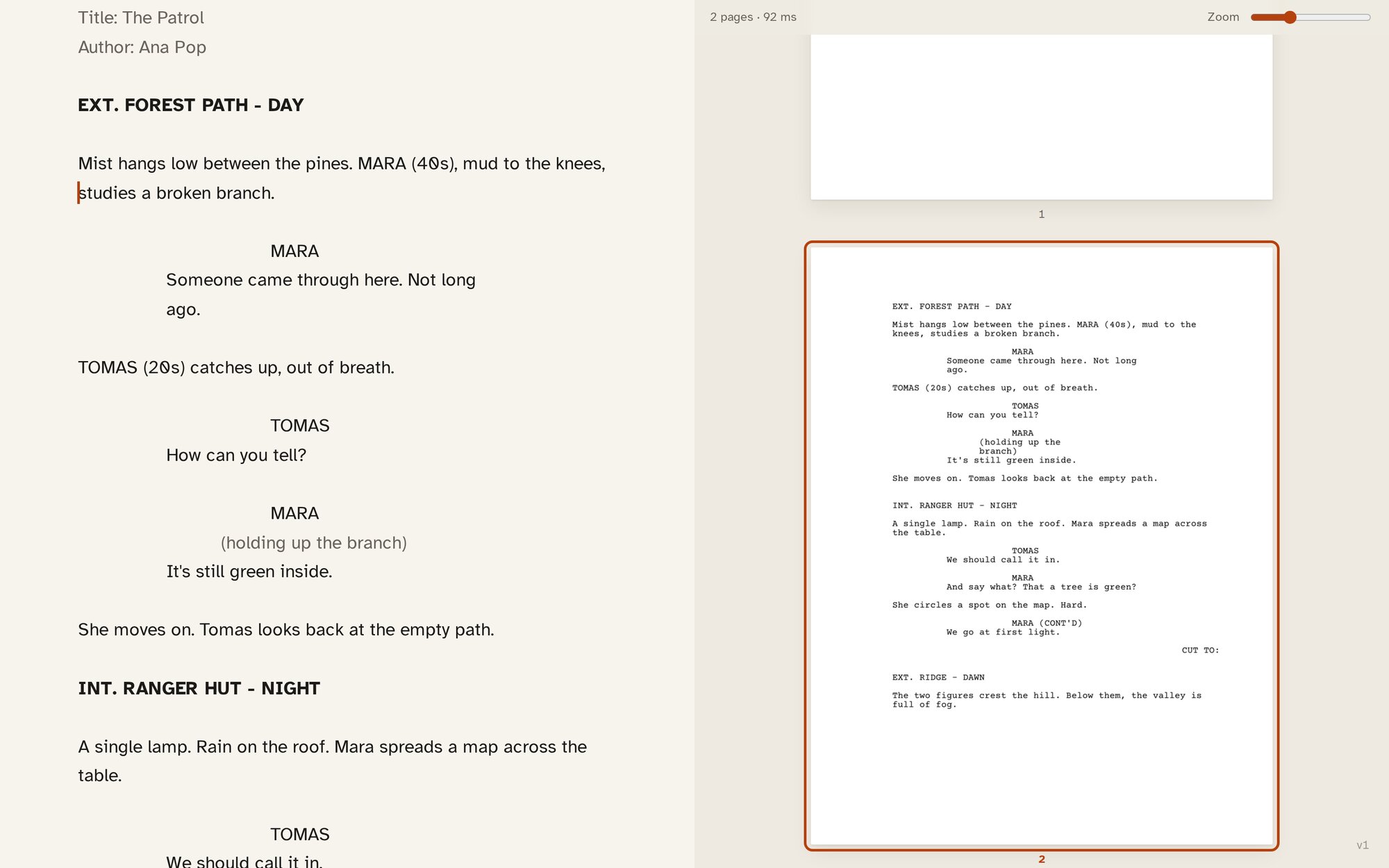
Fountain
Write it the way you would say it.
Fountain is plain text with a few conventions. A line in capitals is a character; the lines under it are what they say. A line starting with INT. or EXT. is a scene heading. Everything else is action. There is nothing to click and nothing to format: the text is the script.
| You type | What it is |
|---|---|
| EXT. FOREST PATH - DAY | A scene heading |
| Tall trees, morning light. | Action |
| NORI | A character |
| (whispering) | A parenthetical, under the character |
| Do you hear that? | Dialogue |
| CUT TO: | A transition |
| > THE END < | Centred text |
| === | A page break |
| [[a note to yourself]] | A note, which doesn't print |
| *italic*, **bold**, _underline_ | Emphasis, as in a book |
Start the file with Title:, Credit:, Author: and Draft date: lines and Wit makes the title page from them. Force an element when you need to: a full stop for a scene heading, @ for a character, ! for action, > for a transition.
The editor knows the elements
Wit indents each element on screen where it will print, so the text looks like a script while you write it. On an empty line, Tab cycles between action, character, scene heading and transition. Enter after a character name moves to their speech; Enter after a speech starts a new block.
Script commands
Ctrl+Shift+1 to 5 make the current line a scene heading, a character, a parenthetical, a transition or centred text. They are on the formatting dock too, and in the command palette like everything else.
Scenes in the sidebar
Alt+[ opens a list of your scenes. Jump to any of them, then close the sidebar and keep writing. The statistics sidebar counts your pages, and a page is about a minute of screen time.
The layout
The format a reader expects.
Courier Prime at 12 point. A 1.5 inch left margin. Character names at 3.7 inches, dialogue at 2.5 inches. Page numbers top right from page 2. About a minute of screen time to the page.
Choose US Letter or A4 in Page setup; A4 keeps the same measures. Scene headings can be bold, and scene numbers written as #12# print in the margins.
- Screenplay · US Letter
- Screenplay · A4
Stage plays
For the theatre too.
A stage play is written in the same plain text. Headings like # ACT ONE and ## Scene 1 become the act and scene headings, and the sidebar lists them. Wit lays the play out in the US manuscript format: names centred, dialogue across the page, stage directions indented in italics.
- Stage play · US Letter
- Stage play · A4
Export
A PDF, ready to send.
Print PDF (Alt+P) gives you the script on white pages, title page included. Proof PDF (Alt+R) gives you the pages as set up, for checking.
The script itself stays a .fountain file in your folder, which any other Fountain tool can open.
Also for scripts
The same quiet room.
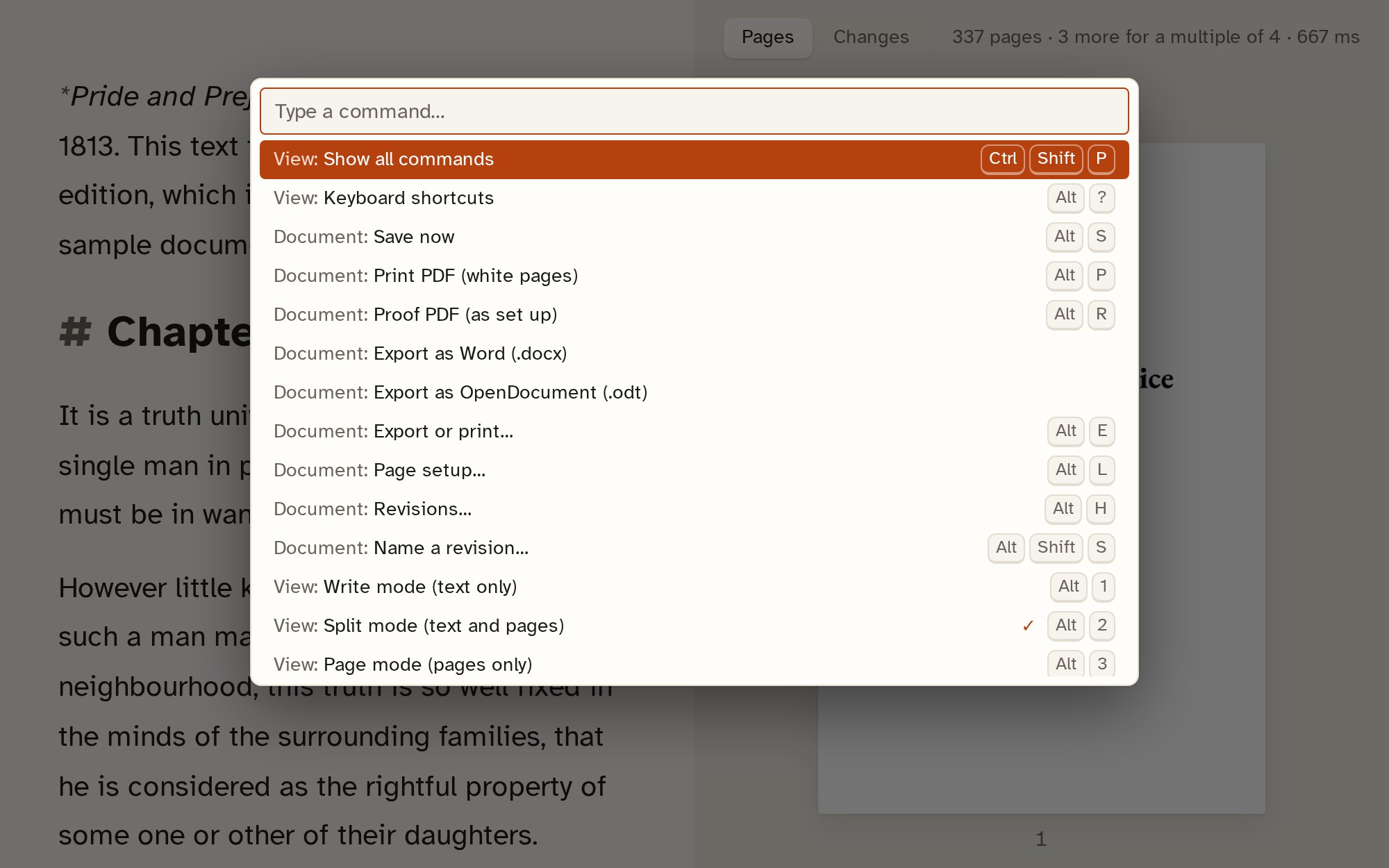
Focus mode, themes, revisions, the command palette and auto-save work the same way in a script as in a book.
Start your script in Wit.
Free for Windows, macOS and Linux.
Download WitRead the guide: write a screenplay in Fountain