Wit — a quieter place to write.
Write simply. Publish beautifully.
A beautiful, distraction-free editor for books, stories, essays, and scripts. Write in peace, see your pages take shape, and turn your words into something worth printing.
Free. Open source. Your files stay yours.
Download WitExplore features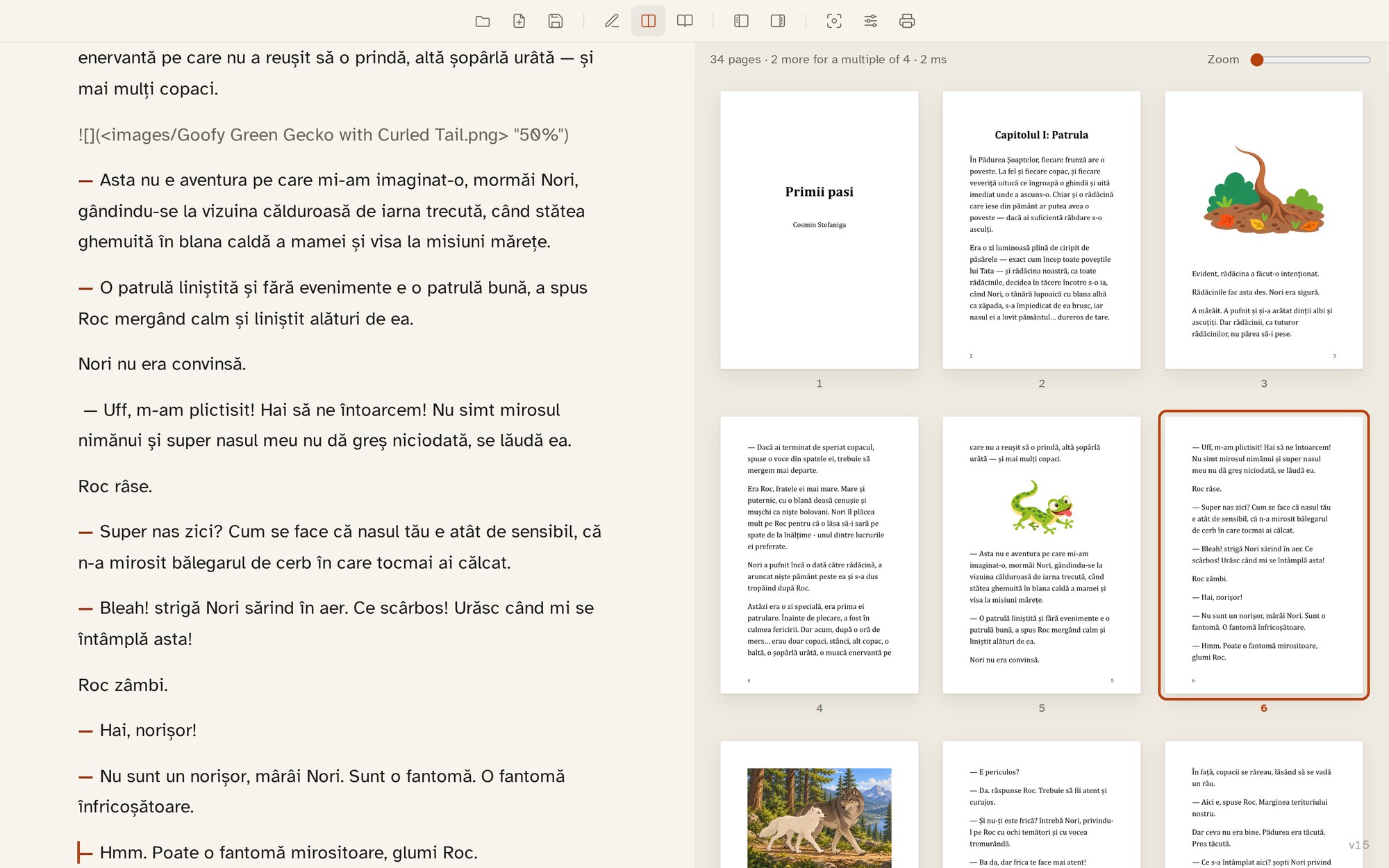
A real children's book in Wit: the words on the left, the printed pages on the right.
The writing experience
Just you and your words.
A blank page when you need it. Everything else when you want it.
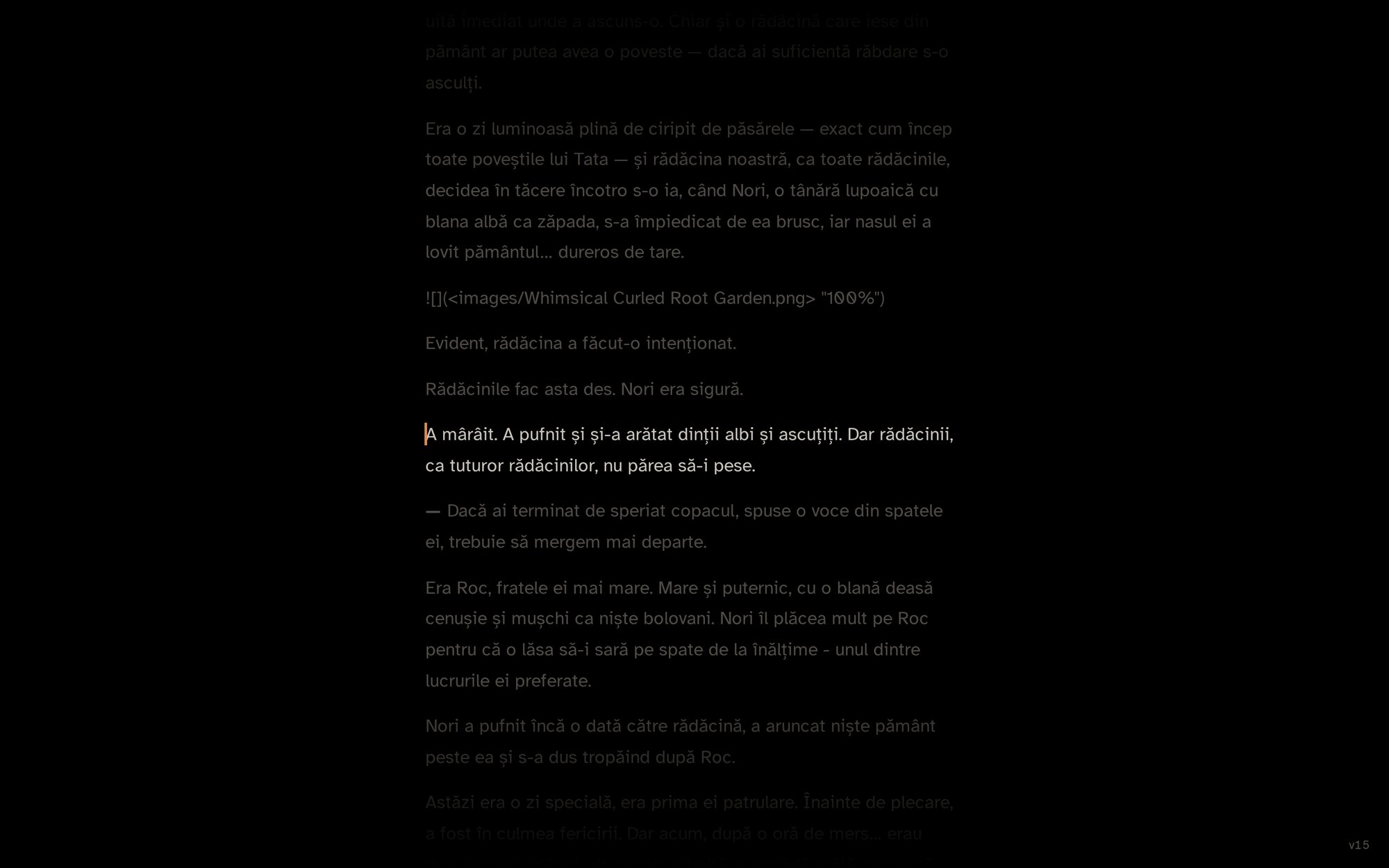
Comfortable line lengths, carefully chosen fonts, and light, dark and true-black themes made for long sessions. Focus mode quiets the interface and keeps your attention on the paragraph you are writing.
- Focus mode
- Light, dark and true-black OLED themes
- Adjustable text size and width
Your book, as you write it
See the book behind the words.
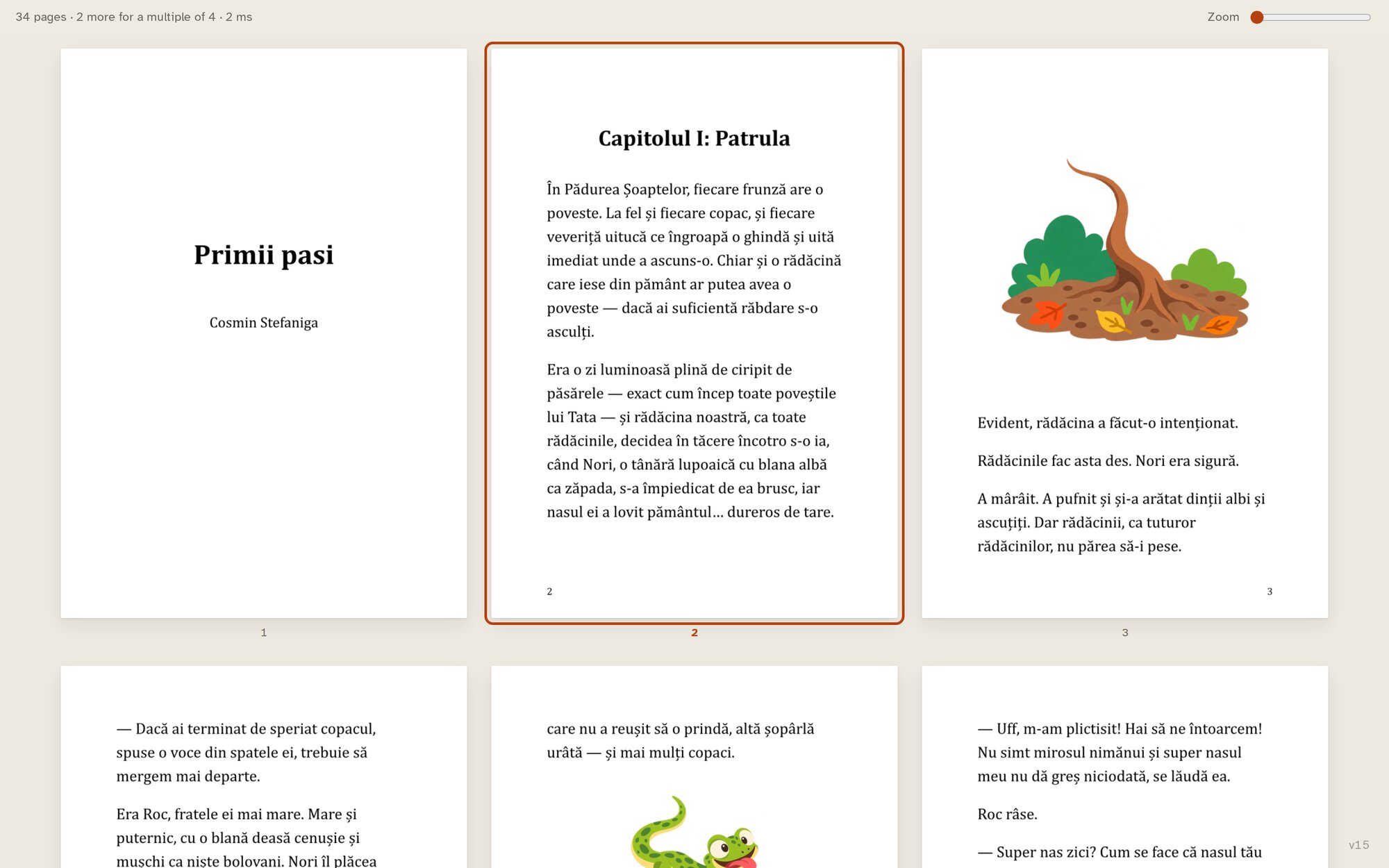
Why wait until the end to discover what your book looks like?
Wit turns your writing into composed pages as you work. Choose a page size, a typeface and a layout, then watch your manuscript take its printed form. Paperback novel, illustrated children's book or screenplay, the page is always within reach.
- Live typeset page previews
- Book sizes and typography presets
- Images and illustrations on the page
- Chapters, sections and page breaks
Structure when you need it
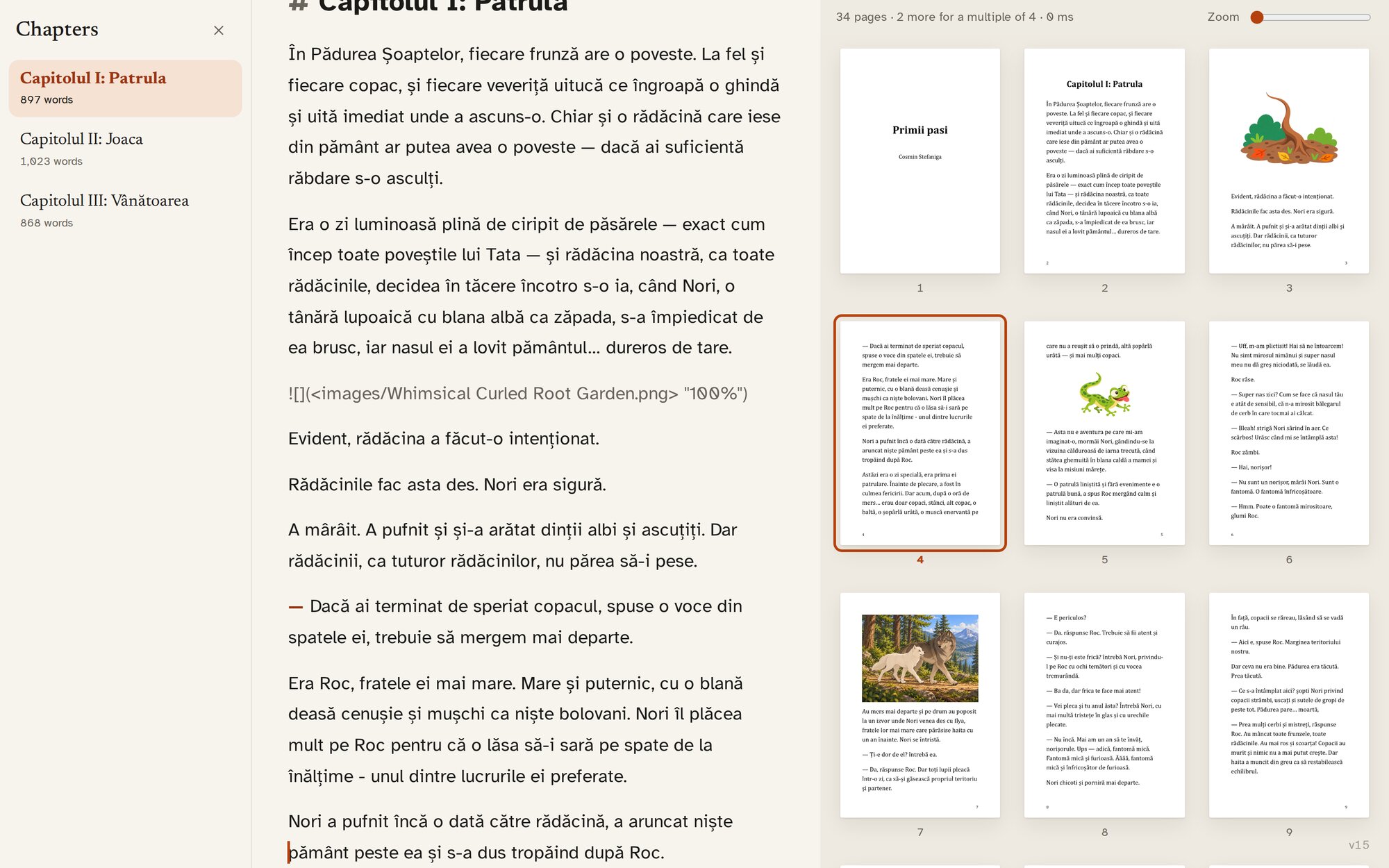
Every chapter in its place.
Long stories deserve a little structure, not a complicated workspace.
Open the chapter sidebar to move through your manuscript without losing your place. Close it again and it is gone.
Optional tools, out of the way until you ask
Small things that help.
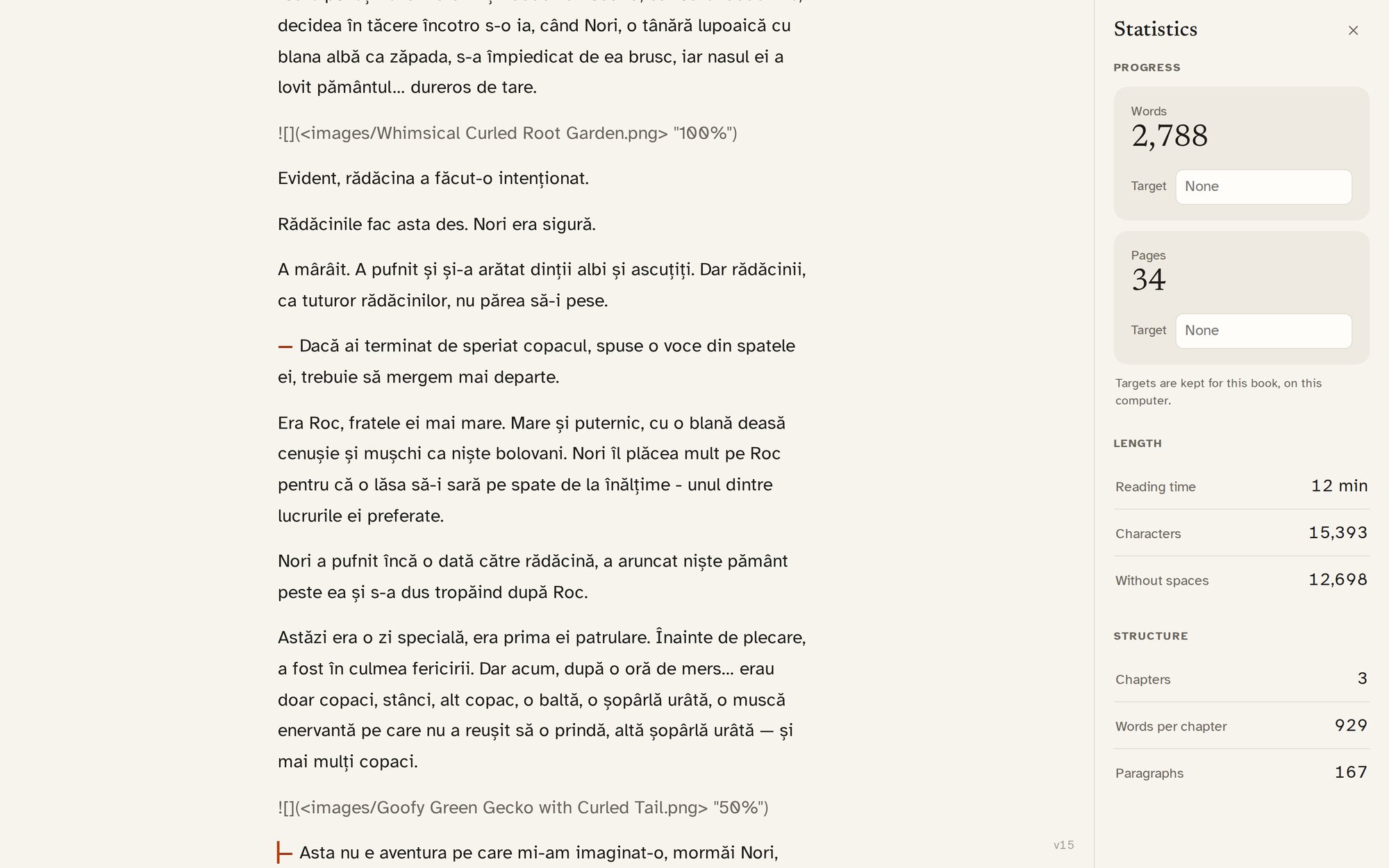
Every word counts.
Set a word or page target and see your progress in a sidebar you can open when you want it. Some days you write a chapter, some days a paragraph. Both matter.
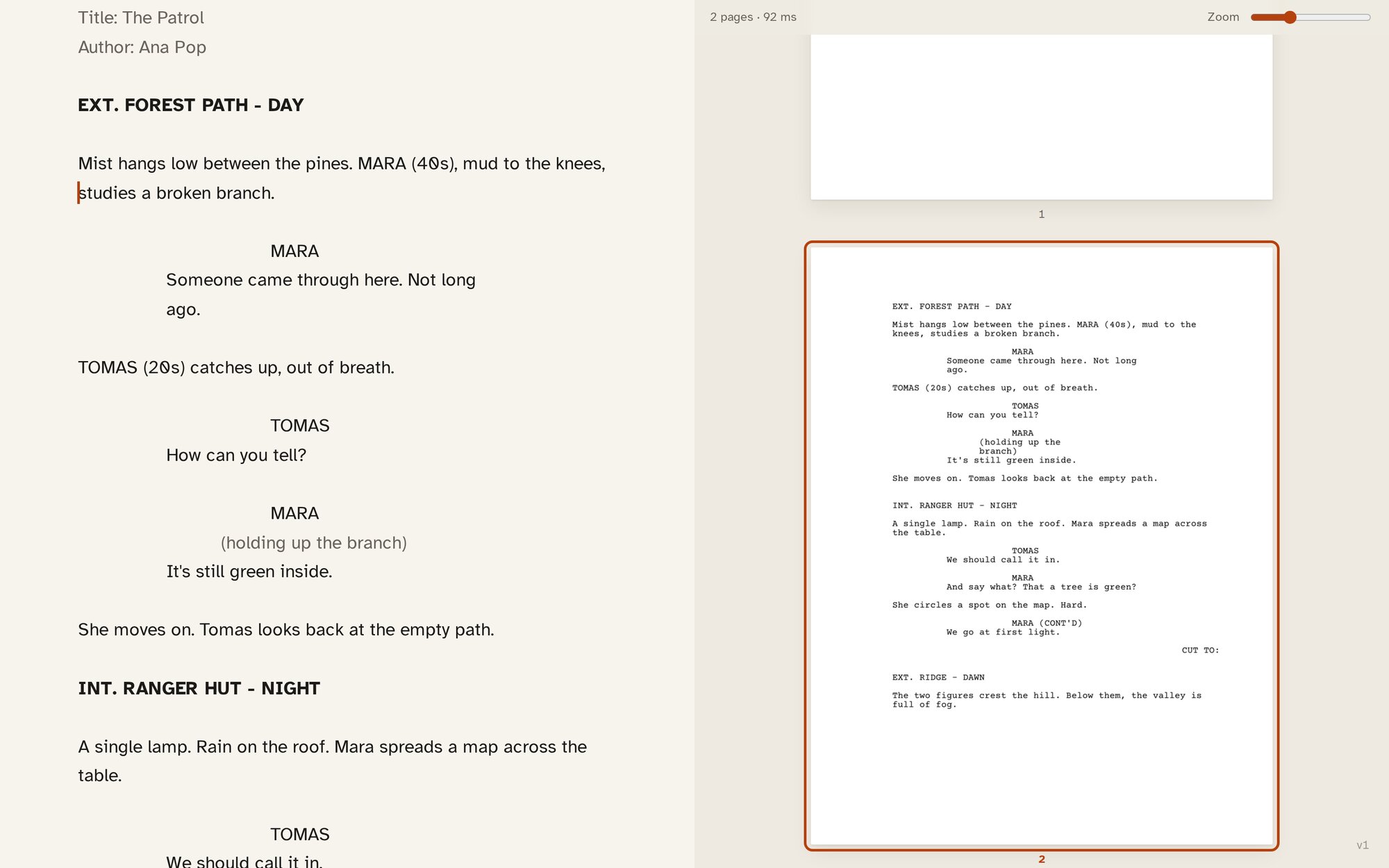
Books, scripts, and everything between.
Novels, children's books and essays. Screenplays and stage plays, laid out the way a reader expects. One writing space, the right format for each.
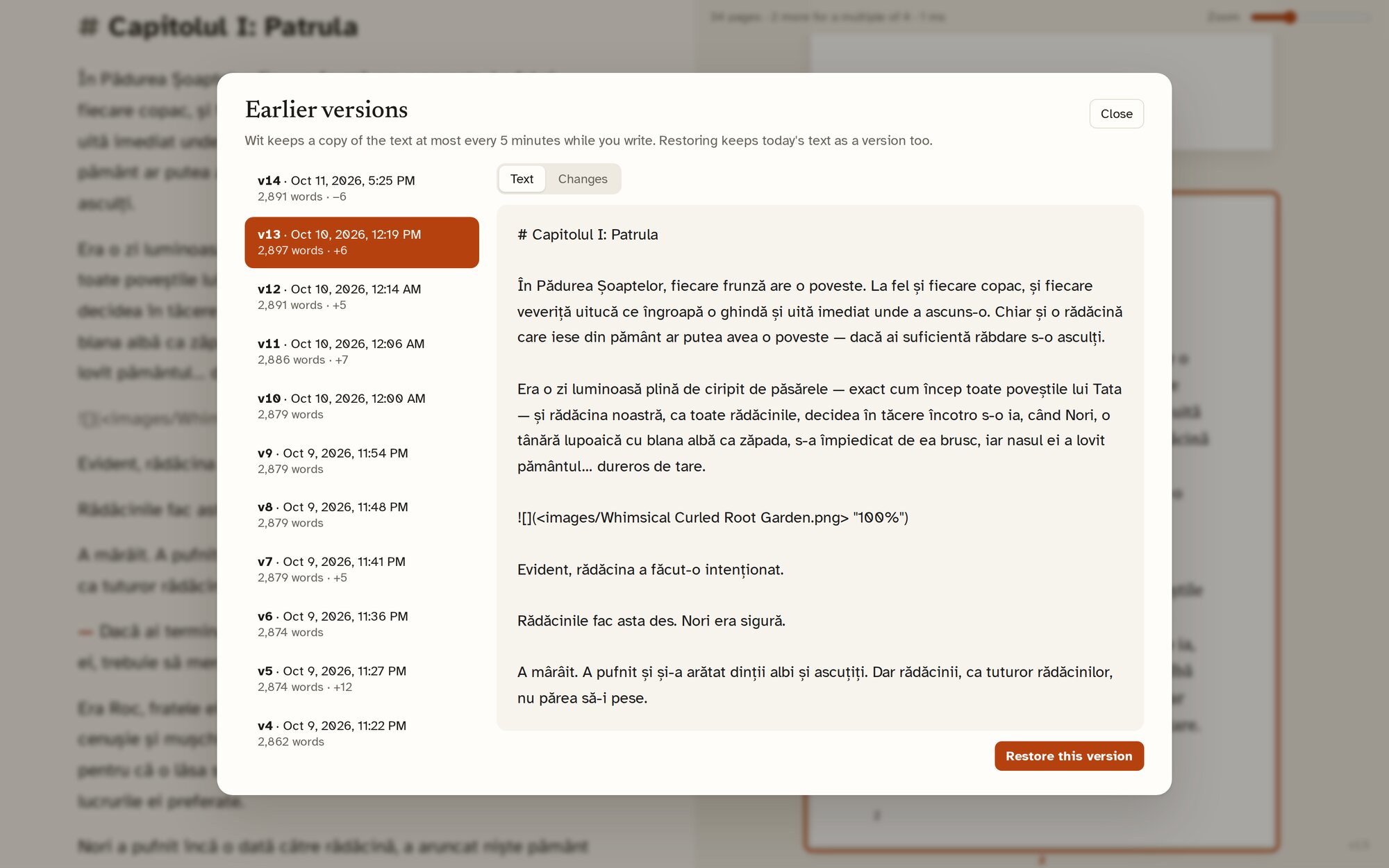
Your words have a history.
Wit saves as you write and keeps earlier versions, so a rewrite never means losing what came before. Look back, compare, restore.
From manuscript to printed book
Ready for the real page.
You have spent months writing your book. Making it look good shouldn't mean starting again in another application.
Wit keeps writing and page composition in one place, with common book sizes, good fonts, image placement, margins and bleed, and PDF export for print. Review your pages, then prepare files for the printer or a service such as Amazon KDP or IngramSpark.
Every printer has its own requirements. Check your proof against theirs before you order.
- Book trim sizes
- Margins and bleed
- Illustration placement
- Proof and print PDF
- Page-count checks for printing
Your files, your freedom
Your writing belongs to you.
Your manuscripts are ordinary text files in folders you choose. No account is required, and your words are never locked inside a platform.
Organise your projects however you like, and back them up or sync them with the tools you already use.
Wit is free and open source because a good writing tool should put writers first.
No subscriptions to unlock your writing. No limits on manuscripts. Download it, use it, read the source, or help make it better.
View on GitHubYour next chapter starts here.
A quiet place for your ideas, your stories, and the books you haven't written yet.
Download WitView on GitHubFor Windows, macOS and Linux, or run it as a local app in your browser. Mobile apps are planned.